
Can a Car Tracker Drain Your Battery? Expert Tips to Prevent Drain

Key Takeaways
5 things to know about GPS trackers and battery drain
-
01
A quality tracker draws under 30 mA at rest, less than plenty of factory electronics leave behind.
-
02
Sleep mode drops standby draw from roughly 30 mA to under 10 mA on most units.
-
03
Ignition-sensing wiring cuts draw to near zero the moment the engine shuts off.
-
04
A battery-powered tracker runs on its own cells and takes nothing at all from the vehicle.
-
05
Weak cellular signal makes a tracker retry, and retries are where the power actually goes.
Want a tracker that never touches your car battery?
SpaceHawk runs on its own internal cells for one to three weeks per charge.
Few things feel worse than waking up to a dead car battery. Worse still when you fitted a GPS tracker for safety.
Can a GPS tracker drain your battery? The short answer is yes, but only under specific conditions. A poorly configured or low-quality unit can slowly sap power while a vehicle sits. Well-built trackers draw very little current and drop into sleep automatically.
I'm Ryan Horban, and I've spent the last 15 years working with GPS vehicle trackers, fleet tracking devices, and commercial GPS tracking systems across real-world fleets. Battery drain is the single most common worry customers raise before buying, so here is how the power actually gets used.
About the numbers on this page
The milliamp figures here are typical published ranges from manufacturer documentation and common install experience. They are not bench measurements taken by us. Your own device may differ, so check its datasheet.
Why This Matters

Car batteries are built to power ignition systems, sensors, and electronics, not to run extra devices around the clock. As tracking spreads among families, businesses, and fleet managers, questions about drain have become unavoidable.
The short version: a well-built tracker consumes under 30 mA on average. A few low-end units draw close to ten times that when signal drops or sleep fails to engage. That gap is the difference between a reliable vehicle and a dead battery on Monday morning.
This guide covers how trackers use power, what causes drain, and the exact steps to prevent it. The advice works the same whether you drive at weekends, watch a teen driver, or run dozens of vans.

Zero draw option
SpaceHawk GPS Tracker
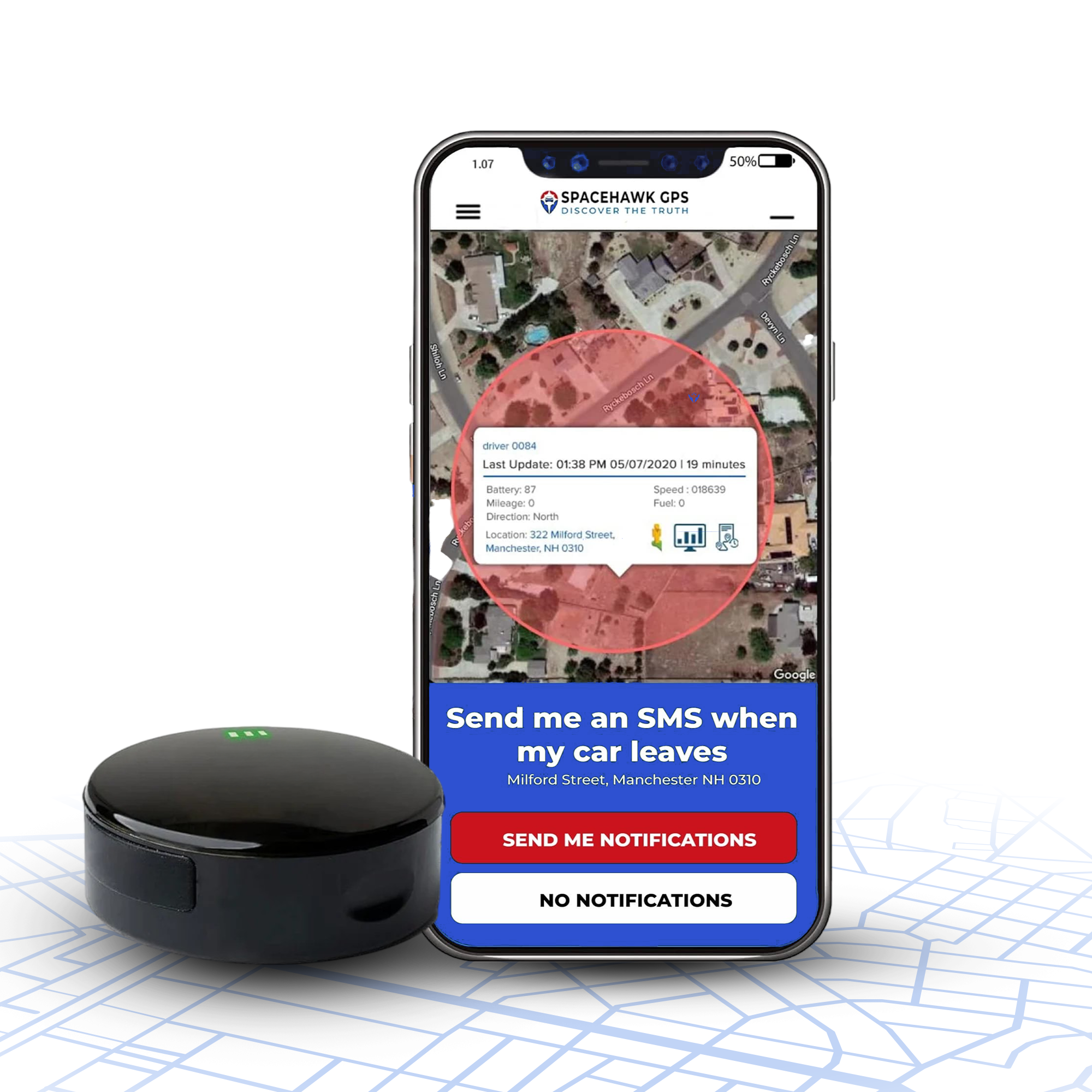
Nothing to wire and nothing to plug in. The unit runs on its own battery, so the vehicle never gives up a single milliamp.
- 0 mA from the car
- 1 to 3 weeks per charge
- $39.95 device price
- Magnetic, waterproof housing
Myths And Facts About GPS Tracker Battery Drain

When a battery goes weak, the tracker usually gets blamed first. Most of the time the tracker is innocent. The three myths below explain what is actually going on.
Myth: "GPS trackers always drain car batteries."
Fact: Well-built trackers use power efficiently. A 4G LTE unit typically averages 20 to 30 mA in standby. Across a week that is roughly 0.5 to 1 percent of a 48Ah battery.
Drain becomes a real problem when:
- The car sits unused for more than 10 to 14 days
- The tracker has no true sleep mode or ignition-sense wiring
- A rushed installation bypasses switched power
Myth: "Removing the tracker will instantly fix battery problems."
Fact: Pulling a tracker rarely solves the underlying issue. Most drain complaints trace back to an aging battery, corroded terminals, or a failing alternator. A weak or sulfated battery can drop below 12.2 V overnight with no tracker fitted at all.
The real culprit is often a faulty door sensor, an interior light, or an aftermarket alarm pulling current continuously.
Takeaway: diagnose for parasitic draw before blaming the tracker.
Myth: "All GPS trackers use the same amount of power."
Fact: Power draw varies enormously by tracker type.
- OBD plug-in trackers typically use 30 to 50 mA at rest
- Hardwired trackers can be tuned below 10 mA in deep sleep
- Battery-powered trackers run on internal cells and take nothing from the vehicle
Newer low-power units idle as low as 8 mA. Older 3G hardware still in circulation can sit at 50 to 60 mA.
Bottom line: most trackers do not kill batteries. Poor setup and cheap hardware do.
How GPS Trackers Use Power
Every tracker cycles through several power states, from deep sleep to active transmission. Each one demands a different amount of energy. The five stages below show where your car's power actually goes. Our guide to how GPS trackers work covers the technology underneath.

1. Locking Onto Satellites
At power-on, a tracker must find at least four satellites before it knows where it is.
- During that search the GPS module runs fully awake, drawing 50 to 100 mA until it gets a fix
- Open sky brings the first fix under 30 seconds. Underground parking forces a long, power-hungry hunt
Worth knowing: mounting with a clear view of the sky shortens fix times and saves power.
2. Cellular Transmission Bursts
Once the tracker knows its position, it sends that data over a cellular module.
- Each burst can momentarily pull 150 to 400 mA, but lasts only a few seconds
- After the burst the device drops back to idle or sleep
3. Reporting Frequency
How often a tracker checks in is the single biggest factor in energy use.
- Live tracking every 10 to 30 seconds costs far more than a 1 to 5 minute interval
- Fleet units commonly report every 30 seconds while moving, then every few hours when parked
Stretching the interval is the cheapest saving available, because the modem is what costs the power.
4. Sleep Against Active Modes

Current trackers run multi-level sleep systems:
- Idle sleep, 10 to 30 mA: partly awake, watching for movement
- Deep sleep, under 5 to 10 mA: GPS and modem shut down until ignition or motion wakes them
- Active, 100 to 400 mA: everything running at once
Teltonika's own FMB920 sleep mode documentation shows why the saving is so large. Deep sleep switches the GSM and GNSS modules off entirely. Jamming detection stops working in those modes for the same reason.
Under 10 mA
What a low-power hardwired tracker draws in deep sleep. A healthy car leaves 20 to 50 mA behind on its own.
5. Extra Features That Add Draw
Sensors and connectivity extras improve what a tracker can tell you, and each one has a cost:
- Motion sensors: 5 to 15 mA
- Wi-Fi and Bluetooth: 20 to 50 mA while pairing or scanning
- Audio systems: up to 150 mA when active
- LED indicators: a small but constant 1 to 3 mA if left enabled
Run all of those together and consumption can briefly pass 500 mA. Those spikes are short, so they matter far less than the resting figure.
Types Of Trackers And Typical Power Draw

Design, power source, and connectivity decide how much current a tracker pulls. Below are the five common formats, what each draws, and when each makes sense.
1. OBD-II Plug-In Trackers
What they are: units that plug into the onboard diagnostic port. That port is standard on almost every vehicle built since 1996.
Typical power draw: 25 to 50 mA idle while monitoring vehicle status, and 150 to 300 mA while transmitting. Most drop into sleep once the ignition is off. Weekly use then stays under 1 to 2 percent of a healthy battery.
View pros and cons
What's Good In OBD-II Plug-In Trackers
- Plugs in without tools in under a minute
- Draws power only with the ignition on, when configured properly
- Reads diagnostic data such as speed, engine RPM, and fuel level
- Moves between cars or vans in seconds
What's Not So Great In OBD-II Plug-In Trackers
- Some vehicles keep the port live, which blocks full sleep
- Sits in a reachable spot, so anyone can unplug it
Best for: everyday drivers, small-business fleets, and parents watching a teen driver.

2. Hardwired Trackers
What they are: units wired permanently into the vehicle's electrical system, usually behind the dashboard or fuse box. They connect to ignition, power, and ground, so the tracker follows the engine.
Typical power draw: around 10 to 30 mA in deep sleep and 100 to 250 mA when transmitting. Wired to an ignition-switched circuit, a good unit pulls almost nothing while the car sits.
View pros and cons
What's Good In Hardwired Trackers
- Out of the way and tamper-resistant
- Allows custom wiring such as switched power and ignition sense
- Ideal for long-term fleet installs
- No charging, ever
What's Not So Great In Hardwired Trackers
- Needs professional installation
- Wired to a constant 12V line by mistake, it will drain the battery
Best for: fleets, rideshare vehicles, and theft recovery setups.

3. Portable Battery-Powered Trackers
What they are: self-contained units running on internal rechargeable cells, with no wiring and no vehicle connection. Compact and magnetic, they attach to a car, trailer, or piece of equipment in seconds.
Typical power draw: 0 mA from the vehicle. Everything comes from the internal battery, which runs one to three weeks per charge on most units.
View pros and cons
What's Good In Portable Battery Trackers
- No effect on the vehicle battery at all
- Attaches magnetically and moves between assets in seconds
- Runs one to three weeks per charge
- Recharges from any USB port or power bank
What's Not So Great In Portable Battery Trackers
- Needs recharging by hand
- Signal weakens inside a sealed metal compartment
Best for: temporary monitoring, rental and loaner vehicles, trailers, and equipment.
-

The unit in hand, for scale. -
Mounting on a vehicle side panel, filmed by us.
4. Solar-Powered Trackers
What they are: units with a built-in panel that trickle-charges the internal battery. Well suited to trailers, boats, and heavy equipment that live outdoors.
Typical power draw: roughly 10 to 40 mA in standby, all of it self-supplied. With regular daylight these units can run indefinitely.
View pros and cons
What's Good In Solar-Powered Trackers
- Made for trailers, boats, and machinery left outside
- Almost no maintenance in sunny conditions
- Can run indefinitely with daylight exposure
What's Not So Great In Solar-Powered Trackers
- Useless in a garage or permanent shade
- Bulkier than a plug-in model
Best for: trailers, construction fleets, and rural equipment.

5. Advanced Fleet Telematics Units
What they are: heavy-duty units wired to a CAN bus alongside extra sensors for fuel, temperature, and driver ID.
Typical power draw: 20 to 60 mA idle and 250 to 400 mA active.
View pros and cons
What's Good In Fleet Telematics Units
- Full diagnostics and route history
- Smart sleep management and over-the-air configuration
- Built-in accelerometers for crash detection
What's Not So Great In Fleet Telematics Units
- Higher cost and a more involved installation
- Needs periodic firmware updates to stay efficient
Best for: logistics companies, delivery fleets, and government vehicles.
Average Power Draw By Tracker Type
| Tracker Type | Sleep (mA) | Active (mA) | Power Source | Best Use Case |
|---|---|---|---|---|
| OBD-II plug-in | 25 to 50 | 150 to 300 | Vehicle OBD port | Quick setup, personal cars |
| Hardwired | 10 to 30 | 100 to 250 | Vehicle wiring | Fleets, long-term installs |
| Portable battery | 0 from the vehicle | Internal cells only | Rechargeable lithium | Portable and asset tracking |
| Solar-powered | 10 to 40, self-supplied | 100 to 200 on charge cycles | Solar panel plus cell | Outdoor assets, trailers |
| Fleet telematics | 20 to 60 | 250 to 400 | Vehicle plus CAN bus | Heavy-duty fleet monitoring |
Skip the wiring question entirely with a tracker that runs on its own battery.
Choosing a format is less about performance than about matching power draw to how the vehicle actually gets used.
Factors That Determine Battery Drain

Drain comes from three things: the device configuration, how often the vehicle runs, and battery health. Five factors decide whether a tracker sips power or steals it.
1. Tracker Settings
Reporting frequency is the biggest single variable.
- Updates every 10 to 30 seconds keep the modem awake, pushing draw from roughly 30 mA past 150 mA
- Sleep and ignition-sensing modes bring it back under 10 mA
In practice: for a car parked overnight or all weekend, set the interval to 1 to 5 minutes. Enable sleep when stationary.
2. Vehicle Usage Pattern
A car driven daily rarely has a tracker problem, because the alternator replaces whatever the device used. Trouble shows up when a vehicle sits.
- A typical lead-acid battery loses roughly 3 to 5 percent of its charge a week on its own
- Add a tracker at 20 mA standby and that becomes around 6 to 7 percent a week
Real risk arrives when long inactivity, cold weather, and a tired battery all land together.
Before storage: disconnect the tracker or fit a battery maintainer.
3. Battery Condition And Age
Even the most efficient tracker will expose a weak battery.
- A healthy 12V, 48Ah battery should hold 12.6V or more after sitting overnight
- Anything under 12.2V points to sulfation or poor reserve, and a few milliamps can then tip it over
Quick check: test twice a year with a multimeter. Replace the battery below 12.4V at rest.
4. Signal Strength And Location
Poor GPS or cellular reception forces a device to reconnect over and over, and each retry costs current. In underground parking or a metal shed, a tracker can burn three times its normal power hunting for signal.
Placement matters: mount near a window, rear deck, or dashboard so the antenna has a path out.
5. Installation Quality And Wiring
Bad installation is the number one cause of unexpected drain. The usual mistakes: a constant 12V feed instead of an ignition-switched one, a skipped inline fuse, LEDs left enabled. A tracker tapped into a dome light feed will run all week whether you drive or not.
Get this one right: wire to an ignition-controlled circuit, or use an installer. For an OBD unit, confirm the port dies with the key.
What Each Factor Costs You
| Factor | Impact | Typical Power Effect | Quick Fix |
|---|---|---|---|
| Tracker settings | High with live tracking on | 2 to 5 times more draw | Enable sleep, lengthen the interval |
| Vehicle usage | High during long idle spells | Self-discharge plus tracker draw | Drive weekly or disconnect |
| Battery condition | Moderate to high | Low reserve fails early | Test, and replace below 12.4V |
| Signal strength | Moderate | Up to 3 times more in weak signal | Mount with a clear sky path |
| Installation quality | Very high | Continuous 12V draw | Wire to ignition, add a fuse |
How To Prevent Battery Drain

Preventing drain is not about unplugging the device. Most of the benefit comes from two settings and one wiring decision. The seven steps below run in the practical order.
Enable Low-Power Or Sleep Mode
Nearly every current tracker ships with power-saving profiles, named sleep, eco, or standby. These shut down the GPS module and modem when no movement is detected.
- Expected saving: standby drops from 30 to 50 mA down to 5 to 10 mA
- How to do it: open Power Management in the app and enable sleep when stationary, or deep sleep
Worth knowing: if the device has a vibration trigger, set it to wake on movement only.
Lengthen The Update Interval
Reporting every few seconds looks impressive on a map and costs a great deal of energy. Every ping wakes the GPS and the modem together.
- Recommended: 1 to 5 minutes while driving, once every 1 to 2 hours when parked
- Why it works: the modem is the expensive part, and fewer wake cycles means fewer transmissions
Use Ignition-Sensing Installation
Wiring to an ignition-switched circuit means the device powers down when the engine does. That single decision removes parasitic draw altogether.
- What it prevents: a continuous 12V feed while the car is parked
- Expected saving: idle draw falls to near zero, under 5 mA
- Installer tip: use an add-a-fuse connector and confirm with a multimeter that voltage drops with the key
Choose A Tracker With Its Own Battery
Some units carry an internal lithium cell that keeps the device alive without touching the vehicle supply.
What you gain:
- The tracker keeps reporting during a tow or a theft
- The car battery carries no tracker load at all
Example: the SpaceHawk runs one to three weeks per charge and pulls 0 mA from the car while parked.
Check The Vehicle Battery Regularly
No tracker setting can rescue a failing battery. Routine testing keeps enough reserve capacity to carry small accessory loads.
- Test voltage monthly and aim for 12.6V or higher after an overnight rest
- Clean corroded terminals, since resistance mimics a drain
- Replace any battery older than 3 to 4 years

Turn Off LEDs And Unused Extras
Some trackers blink continuously even while parked. Disable LEDs, Wi-Fi scanning, and audio features you do not use.
Expected saving: 1 to 3 mA continuously, which is small but runs every hour of every day.
Small bonus: taping over an indicator LED also stops it reflecting in the windshield at night.
Keep Firmware Updated
Manufacturers regularly patch sleep-mode stability and signal retry logic. Old firmware can wake a device for no reason or loop failed transmissions.
- Expected saving: fewer unplanned wake cycles, which is where quiet drain hides
- How to do it: check the companion app, or ask the vendor for the current release
Power-Saving Actions And Results
| Action | Power Reduction | Battery Life Effect | Difficulty |
|---|---|---|---|
| Enable sleep mode | 70 to 80 percent | 4 to 6 times longer standby | Easy |
| Lengthen update interval | 60 to 80 percent | 3 to 5 times longer | Easy |
| Ignition-sensing install | 90 to 95 percent | Removes parasitic drain | Moderate |
| Tracker with its own battery | All of it, while parked | Continuous protection | Easy |
| Regular battery maintenance | None directly | Longer battery lifespan | Easy |
| Disable LEDs and extras | 5 to 10 percent | Small but constant | Easy |
| Firmware updates | 10 to 15 percent | More reliable sleep | Easy |
Doing two or three of these removes almost all risk of tracker-related drain.
Diagnostics: Is Your Tracker The Culprit?
Before blaming the tracker, work through the problem methodically. The real cause is often a weak alternator, a corroded terminal, or an aftermarket alarm. A proper test settles the question in about fifteen minutes.

Measure Parasitic Draw
A parasitic draw test shows whether anything is still pulling current with the ignition off.
What you need: a digital multimeter with a 10A range, a socket wrench, and gloves.
- Switch off the ignition, remove the key, and close every door. Wait 10 to 15 minutes for the control modules to sleep.
- Disconnect the negative battery cable.
- Connect the multimeter in series, black probe to the battery post and red probe to the cable.
- Read the display.
- Normal parasitic draw sits at 20 to 50 mA
- Anything at 100 mA or above is abnormal
Watch the trend: a drop after 30 to 60 seconds is the car's own modules shutting down, not the tracker.
Isolate The Tracker
Once an abnormal reading shows up, take the tracker out of the circuit.
- Pull the tracker fuse or unplug the OBD unit
- Recheck the current on the multimeter
- A large drop means the tracker or its wiring is the problem
- An unchanged reading means something else is drawing, usually an alarm, dash cam, or interior light
- Reconnect and watch the reading again to confirm
This is the common pattern in fleet troubleshooting. Disconnecting the tracker changes nothing, and disconnecting a dash cam changes everything.
Check The Tracker Logs
Many trackers record their own wake cycles. Open the portal or app and look for:
- Frequent wake-ups or failed transmissions, common in weak-signal areas
- An outdated firmware version, which can cause reconnect loops
- A sleep timer that resets after ignition detection errors
Tip: a firmware update plus a longer reporting interval resolves most of these.
Know When It Is Not The Tracker
If pulling the tracker does not move the multimeter, check these instead:
- Battery age: anything past 3 to 4 years self-discharges faster
- Corrosion: dirty or loose terminals create resistance that mimics a drain
- Alternator: a weak one never fully recharges the battery
- Aftermarket devices: alarms and dash cams are far more common culprits
Quick test: drive for 30 minutes, then measure voltage. Below 13.8V while running points at charging, not at the tracker.
One more pass: re-test after an overnight rest, since some trackers take five minutes to reach full sleep.
Nine times out of ten the fix is a setting, not a new device. Check the reporting interval before you check the wiring.
Ryan Horban
GPS Tracking Expert, GPS Tracker Shop
What To Do Next
Car GPS trackers do not have to be battery killers. Installation and configuration decide the outcome. A well-built unit in sleep mode barely sips power, while a rushed setup drains quietly for weeks.

A quick recap of what keeps a battery healthy:
- Enable sleep mode to bring standby draw under 10 mA
- Lengthen the update interval to minutes rather than seconds
- Use ignition-sensing wiring so the tracker powers off with the engine
- Test the vehicle battery every few months, especially before storage
- Update firmware to fix wake-cycle bugs and improve sleep reliability
If a current tracker still drains too much, move to a low-draw device or one with its own battery.
Recommended upgrade
SpaceHawk GPS Tracker
Motion-based activation, deep-sleep power management, one to three weeks per charge, and 0 mA drawn from the vehicle while parked.
Track the car, leave the battery alone
A magnetic tracker with its own power source removes the wiring question entirely. Mount it, charge it every few weeks, and forget about parasitic draw.
About the Author

Frequently Asked Questions
Which GPS trackers drain a car battery fastest?
How much power does a GPS tracker use per day?
Can a GPS tracker kill my battery overnight?
What settings save the most battery power?
Should I disconnect my tracker for long-term parking?
- Choosing a selection results in a full page refresh.
- Opens in a new window.
 Buy on Amazon