
How to Use a GPS Tracker for Fleet Management

-
01OBD2 trackers install in under one minute.
-
02Geofences catch unauthorized vehicle movement instantly.
-
03Driver reports reduce fuel waste and idle time.
-
04Most fleets recover costs within 90 days.
-
05Written policies reduce legal and compliance risks.
How to Use a GPS Tracker for Fleet Management (2026 Setup Guide)
Quick Answer
Using a GPS tracker for fleet management means installing a tracking device in each company vehicle, connecting it to a fleet management platform, and using the live location, driver behavior, and vehicle health data it sends to reduce fuel costs, cut unauthorized use, improve dispatch speed, and build a maintenance record that prevents breakdowns before they happen.
I'm Ryan Horban. Fifteen years of setting up GPS systems for fleets. Two-van HVAC operations in Phoenix. Forty-vehicle delivery companies in Dallas. Everything in between. The question I hear most isn't which tracker to buy. It's what to actually do with it once it shows up at the door.
This guide focuses on the setup process, daily workflows, and common mistakes to avoid.
What Is GPS Fleet Management?

GPS fleet management is the use of tracking hardware, cellular networks, and fleet software to monitor every company vehicle from one dashboard, covering live location, speed, route history, driver behavior, and vehicle health.
Most guides miss an important point. They treat the GPS tracker like a product. Not quite — the tracker is just a data pipe. What you do with the data coming out of it is the actual product.
Real-World Insight
I learned this the hard way, watching a 12-vehicle plumbing company in Phoenix operate with trackers installed for two full years. The owner checked the live map occasionally. That was it. No alerts. No trip history reviews. No geofences. When I sat down with him and actually configured the system, we found two vans running personal errands every single weekend. Fuel costs dropped 18 per cent in the first month after the policy change. Same hardware. Different habits around it.
How GPS Fleet Tracking Works

GPS fleet tracking works by combining satellite positioning with a cellular modem inside the tracking device to push vehicle location, speed, and engine data to your fleet dashboard every few seconds.
Four satellites minimum. The tracker measures its distance from each one and calculates position through trilateration, accurate to 2 to 5 meters in open conditions. That data hits a 4G LTE modem inside the device, which pushes it to the fleet platform's servers. Your dashboard updates in near real time.
Dead zones don't create gaps. The device stores data in onboard memory when cellular drops and uploads the full sequence automatically when signal returns.
Those results don't come from owning a tracker. They come from using the reporting system around it every day.
Step 1: Choose the Right GPS Tracker Type

The right GPS tracker for your fleet depends on your vehicle mix, how fast you need to go live, whether tamper resistance matters, and whether you need to cover trailers or equipment with no power source.
Most guides push hardwired trackers as the premium default. That advice costs small fleet owners money they don't need to spend. A lot of fleets under 10 vehicles never use the additional tamper-proofing and 24/7 monitoring features enough to justify installation downtime, technician fees, and a more complex rollout. OBD2 plug-ins get most operators 90 per cent of the value at a fraction of the complexity.
The table below compares the three tracker types.
| Tracker Type | Install Time | Best For | Main Drawback |
|---|---|---|---|
| OBD2 Plug-In | Under 1 minute | Small fleets, fast deployment | The driver can unplug it |
| Hardwired | 30 to 60 minutes | Commercial fleets, tamper-proof monitoring | Installation cost and vehicle downtime |
| Magnetic Battery | Under 30 seconds | Trailers, equipment, non-powered assets | The battery needs periodic recharging |
OBD2 Plug-In Trackers
An OBD2 tracker plugs into the diagnostic port under the dashboard and transmits location, speed, and engine fault codes immediately, with no wiring and no tools.
Every passenger car and light commercial vehicle built after 1996 has an OBD2 port, almost always within 24 inches of the steering column. Plug it in. Turn the ignition on. The vehicle appears on your dashboard within five minutes.
Installation usually takes less than a minute.

The catch is obvious once you think about it. The OBD2 port isn't hidden. Any driver who knows where to look can pull it out in under 10 seconds.
Hardwired GPS Trackers

A hardwired tracker connects into the vehicle's electrical system behind a panel, stays hidden, reports 24/7 whether the engine runs or not, and cannot be removed without tearing apart the interior.
Three wire connections: constant power, ignition-switched power, and ground. Constant power keeps the device alive overnight and on weekends, catching every move the vehicle makes outside business hours. Professional installation runs 30 to 60 minutes per vehicle at $75 to $150 per install.
Worth it for high-value vehicles, regulated commercial fleets, multi-shift operations, and any situation where you suspect unauthorized after-hours use.
Magnetic Battery-Powered Trackers

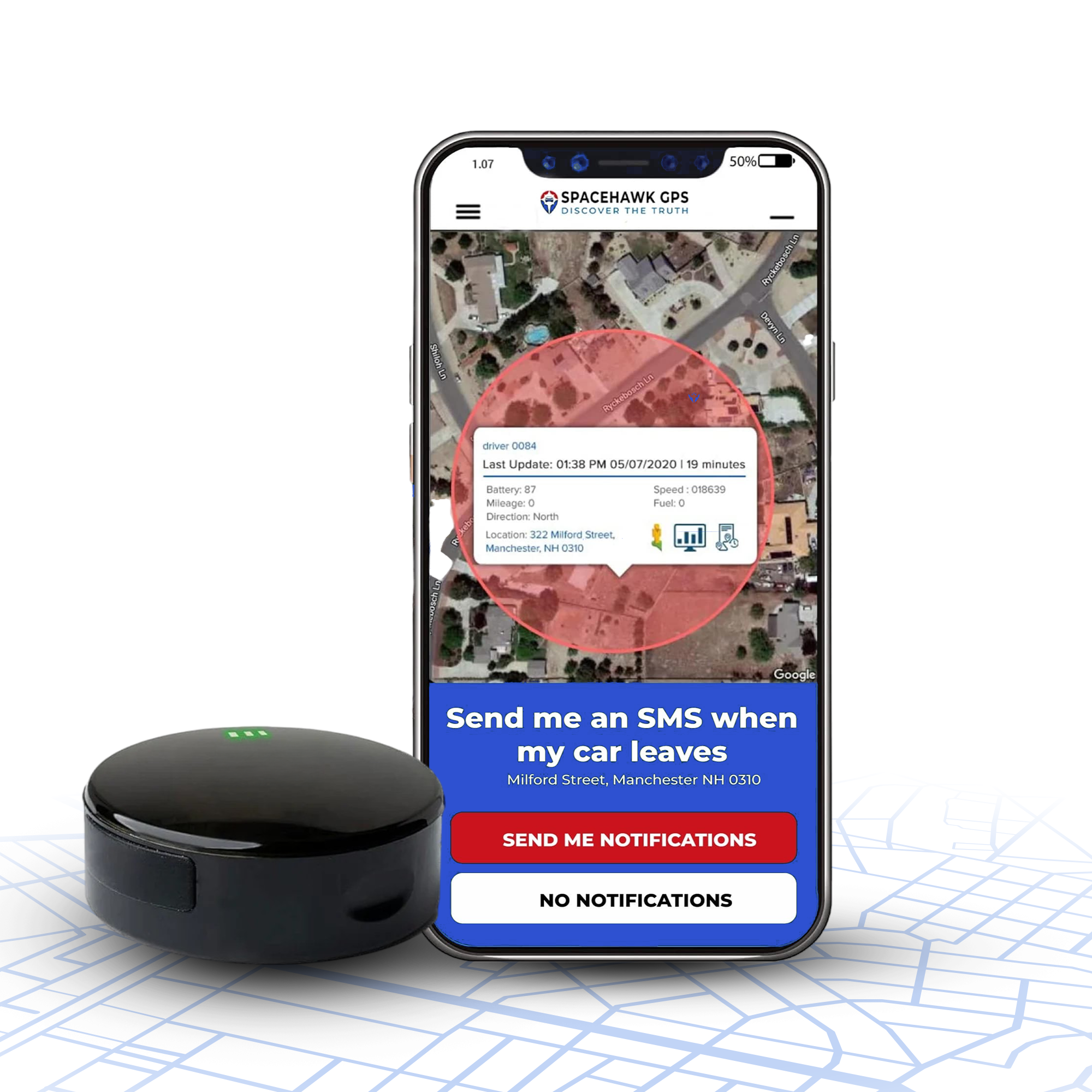
A magnetic tracker like SpaceHawk attaches to any metal surface using a built-in magnet, runs on its own battery for one to three weeks per charge, and moves between vehicles or onto trailers and equipment in under 30 seconds.
Rear frame rail. Wheel well. Anywhere with clean metal contact. This device fills every gap the other two types leave open. Trailers. Forklifts. Generators. Seasonal equipment is sitting unused for months.
Step 2: Install Your GPS Trackers
GPS tracker installation takes under one minute for OBD2 units, 30 to 60 minutes per vehicle for hardwired units, and under 30 seconds for magnetic trackers.

OBD2 Installation
Find the port under the driver's side dashboard. Plug the tracker in firmly. Turn the ignition on. Log in to the fleet platform. Confirm the vehicle appears on the map within five minutes.
Done.
Hardwired Installation
Connect to constant power, ignition power, and ground. Route wires behind dashboard panels so nothing is visible to the driver. Mount the device where the GPS antenna has a reasonable sky view. Heavy metal enclosures directly above or around the antenna hurt signal quality.
Test before closing up the panels. A position reading within 5 meters of the vehicle's actual location means a clean install.
Magnetic Tracker Placement
Rear frame rail and wheel wells are the two best positions on a fleet vehicle. Solid metal contact, out of sight during routine walk-arounds, away from engine heat.
Step 3: Set Up Your Fleet Management Platform
Setting up a fleet management platform means creating vehicle profiles, building geofences, activating driver behavior alerts, and connecting maintenance reminders before a single vehicle goes live.
This step is where most fleet setups fail. The hardware gets installed correctly. The platform gets left at factory defaults. Drivers go out. Nothing gets flagged. The manager checks the map once a day. After three weeks, they conclude GPS tracking isn't doing much — because nobody configured it to do anything.
Create Vehicle Profiles

Every vehicle needs a make, model, year, license plate, driver assignment, and current odometer reading entered into the platform before it goes live. The odometer reading is the one people skip most. Without it, your maintenance alerts trigger off estimated mileage rather than actual use, which makes them wrong.
Name vehicles in a way your dispatch team uses in conversation. "Van 3 Torres" is useful at 7 AM during a chaotic morning dispatch. "Vehicle 000249" is useful to nobody.
Configure Geofences
A geofence is a virtual boundary on the map that triggers an automatic alert whenever a vehicle crosses it, replacing manual map checking with instant notifications that fire without any human input.

Three types to set up before the first vehicle rolls out:
Work zone geofences - go around job sites and customer addresses. Entry confirms arrival. Unexpected departure mid-job is worth a call.
Depot geofences - wrap around your yard or parking area. Any vehicle leaving after business hours sends an immediate alert. Theft and unauthorized use both get caught within seconds of movement starting.
Restricted area geofences - mark off-limits locations: competitor properties, neighborhoods outside your service territory, and weight-restricted roads.
Configure Behavior Alerts

Driver behavior alerts fire when a speed threshold is crossed, hard braking occurs, rapid acceleration is detected, or idle time exceeds a set limit, creating a logged event record without requiring manual monitoring.
Speed threshold: 75 mph for highway fleets, 55 mph for urban delivery operations. Adjust based on where your drivers actually operate.
Hard braking and rapid acceleration detection: turn both on. Hard braking events accelerate brake wear and indicate following-too-close behavior. Rapid acceleration burns fuel and stresses the drivetrain. Both feed into weekly driver behavior reports automatically.
Set Idle Time Alerts

Fleet vehicles idle an average of 3 to 4 hours per shift. Diesel engines burn roughly one gallon per idle hour. Ten vehicles idling for 3 hours daily burn 30 gallons. At current diesel prices, that's $90 to $120 in wasted fuel every single day.
Five-minute idle threshold. Alert goes to dispatch or directly to the driver's phone.
Step 4: Use Your Fleet Data Every Day
Using fleet GPS data daily means reviewing the live map at dispatch, checking trip history each morning, running weekly driver behavior reports, and acting on what those reports show rather than filing them away.
The operators who get strong results treat the platform like a daily operations tool. Open in the morning. Act on what it shows. Close at night. The ones who treat it like an emergency resource, opening it only when a problem surfaces, consistently underperform on fuel savings and driver accountability.
The Live Map at Dispatch

Open the map at the start of every shift. Confirm every vehicle that should be moving is moving. Confirm every vehicle that should be parked is parked. Any unexpected movement before authorized dispatch is worth a call immediately, not after.
Customer asking for an ETA mid-day? Check the map. Driver 3 miles out at 30 mph. Tell the customer 8 minutes. No call to the driver. No interruption. No guessing.
Review Trip History Every Morning

Trip history shows every route, every stop, how long each stop lasted, average speed, and total miles. Review this report each morning for the previous day across the full fleet — it takes 5 to 10 minutes and catches more operational problems than any other single habit in fleet management.
Look for stops that match no scheduled job. Look for routes that ran much longer than the job required. Look for vehicles that moved after business hours.
Real-World Insight
I reviewed the trip history for a 7-vehicle electrical contracting fleet during its first week of tracking. On day three, we found one of their most trusted drivers taking a 40-minute detour every afternoon to run personal errands. The driver had been doing it for months. The tracker didn't create the problem. It just made it visible for the first time.
Coach Drivers Using Behavior Scores

Most platforms generate a weekly behavior score per driver based on speeding, hard braking, rapid acceleration, and idle time. Use it to coach individual drivers on specific habits rather than sending fleet-wide policy memos that don't connect to anyone personally.
A driver with a pattern of hard braking events responds far better to a one-on-one conversation with their own data in front of them than to a general safety announcement. Show the driver their score alongside the fleet average. Track whether it improves over the next four weeks. That process produces real behavior change that policy announcements rarely do.
Step 5: Build a Maintenance Schedule Using GPS Data

GPS-connected maintenance tracking prevents breakdowns by triggering service reminders at accurate mileage intervals and surfacing engine fault codes weeks before a warning light appears on the dashboard.
This feature saves more money per year for small fleet operators than any other on the platform, and it's also the most commonly skipped during setup because it requires manual odometer entry, and most people are rushing to get tracking live.
Enter current odometer readings. Set reminders at manufacturer service intervals. The platform alerts you when a vehicle approaches the window instead of waiting for a driver to notice a dashboard light.
For OBD2-connected trackers, engine fault codes surface in the platform before they're serious enough to trigger the dashboard light. Most mechanical issues store a code for two to six weeks before the situation becomes critical. Catching a cooling system fault or fuel inefficiency in that window costs a fraction of what roadside recovery and emergency repair cost after a breakdown happens on the highway.
The American Trucking Associations puts the average cost of an unplanned breakdown at $760 per hour in combined downtime, parts, and labor. For a five-vehicle fleet, one caught failure covers a full year of platform subscription costs on most mid-range plans.
Step 6: Understand GPS Fleet Tracking Costs
GPS fleet tracking costs $20 to $45 per vehicle per month in 2026 for most small to midsize businesses, plus a one-time hardware cost that runs $50 for an OBD2 plug-in to $300 for a professionally installed hardwired unit.
| Plan Tier | Monthly Cost Per Vehicle | What's Included | Best For |
|---|---|---|---|
| Basic | $20 to $25 | Live location, geofencing, trip history | 1 to 5 vehicles, starter tracking |
| Mid-Range | $25 to $45 | Behavior scoring, maintenance alerts, and route analysis | 5 to 20 vehicles, active fleet management |
| Enterprise | $45 to $65+ | AI dash cams, ELD compliance, custom reporting | 50+ vehicles, regulated commercial fleets |
Hardware one-time costs:
- OBD2 plug-in: $50 to $150, self-install
- Hardwired: $150 to $300 plus $75 to $150 professional installation
- Magnetic battery tracker: $39 to $89, no installation cost
A 10-vehicle fleet realistically spends $3,500 to $8,500 in the first year, covering hardware and software. Fuel savings alone, from route improvement and idle time reduction, typically run $8,000 to $15,000 per year for that fleet size. Most operators are back to zero investment within 60 to 90 days.
Step 7: Write a GPS Tracking Policy Before Going Live

A GPS tracking policy defines which vehicles are tracked, what data gets collected, who can see it, and how it may be used in employment decisions. New York, Connecticut, and Delaware legally require it before tracking begins.
In every other state, the written policy with a signed employee acknowledgement is the document that determines whether you can actually use GPS data in a dispute. Without it, a termination tied to tracker records is a contested termination.
Seven things the policy must cover:
- Why the company uses GPS tracking and the specific business reasons behind it
- Which vehicles are covered, and whether tracking runs around the clock
- What data is collected and how long it's stored
- Which job roles inside the company can access tracking records
- What consequences follow when GPS data reveals a policy violation
- How a driver can request their own records or dispute inaccurate data
- When the policy gets reviewed and updated
Signed acknowledgement form. Every driver. Before any tracker goes live. Personnel file. Full employment period plus three years after separation.
Read our GPS Tracking Laws by State guide before any employee vehicle gets a tracker. (Note: this draft also referenced a "Business GPS Tracking Policy guide" with no link attached — flagging that for the team to add the correct URL before publishing.)
Step 8: Avoid the Most Common Fleet GPS Mistakes
The three most common fleet GPS mistakes are installing trackers without telling drivers first, skipping alert configuration entirely, and using GPS records alone to justify a disciplinary action.
Installing Without Telling Drivers

Silent rollouts fail. Every time.
Employees who discover tracking after the fact don't accept it as a business tool. They experience it as covert surveillance. If you're planning to monitor staff, our How To Track Employee Location guide explains how to do it legally and transparently before deployment. The pushback is immediate, formal, and sometimes legal.
Real-World Insight
I watched a Nashville plumbing contractor handle this well, and a Nashville landscaping company handle it terribly within the same six-month period. The plumbing contractor gave three weeks' notice, held a 15-minute shop walkthrough before Monday dispatch, and framed GPS as protection for drivers against false customer complaints. Within two weeks, drivers were pulling up their own trip records during service disputes. The landscaping company activated trackers on a Thursday without a word to anyone. Two drivers had contacted a labor attorney by the following Monday.
Same hardware. Same city. Completely different outcomes.
Skipping Alert Configuration
Forty minutes. That's what it takes to configure geofences, speed thresholds, idle limits, and after-hours movement alerts per vehicle profile. Skip it, and you have a map you occasionally open. Configure it, and you have a system that finds problems and tells you about them before they cost you money.
Nothing else during setup delivers more return on time invested.
Using GPS Data Alone in Discipline

A GPS record shows where a vehicle was, how fast it moved, and how long it sat, but it doesn't explain anything.
45 minutes of idle time at an unscheduled location could be a personal stop. It could also be a mechanical issue, a customer callback, or a dispatch instruction that never made it into the system. Arbitrators in employment disputes know this. They consistently require corroborating documentation alongside GPS records before they'll uphold a disciplinary action. Build that habit from the beginning. Don't discover the gap in your process when you're already sitting across a table from someone's attorney.
Who Needs Fleet GPS Tracking?

Any business dispatching three or more vehicles daily with drivers working independently in the field will see a clear return from GPS fleet tracking within the first 90 days.
One or two vehicles? A basic magnetic tracker with a depot geofence probably covers what you need without a monthly fleet software subscription.
Three or more vehicles, drivers in the field without direct supervision, customer ETAs that actually matter, and fuel bills you'd like explained? That's where fleet GPS starts paying for itself fast. The industries I see the fastest consistent return from: HVAC and plumbing contractors, delivery and courier services, landscaping companies, electrical contractors, construction firms operating across multiple active job sites, and pest control businesses.
They all share the same problem. Vehicles move all day out of sight, and every wasted hour costs money that never shows up on any receipt.
Final Thoughts
Getting GPS tracking live on a fleet takes an afternoon. Installation is fast. Platform setup takes an hour. Alert configuration runs 30 minutes per vehicle profile.
Building the daily habit of actually using the data takes longer. Trip history every morning. Behavior score conversations every week. Monthly reports on whether idle time is trending up or down. That routine is where everything actually pays off.
The tracker is the easy part. The system built around it determines whether anything changes.
If you want a tracker that works from the moment it arrives, no wiring, no appointment, no waiting on a technician, SpaceHawk is where I'd start. Magnetic mount. 3-second updates. Instant alerts. A platform that any dispatcher can figure out in under an hour — it's what most small fleet operators I work with install first before deciding whether to add a hardwired system later.
About the Author

Frequently Asked Questions
How do I set up a GPS tracker for fleet management?
What is the best GPS tracker for a small fleet?
How much does GPS fleet tracking cost in 2026?
Is employee GPS tracking legal?
How long does ROI take from GPS fleet tracking?
What is geofencing in fleet management?
Can GPS tracking lower fleet insurance costs?
What data does a fleet GPS tracker collect?
- Choosing a selection results in a full page refresh.
- Opens in a new window.
 Buy on Amazon