How to Use GPS for Tool Tracking | Theft Prevention & Control
How to Use GPS for Tool Tracking

GPS tool tracking gives teams a practical way to locate tools quickly, prevent losses, and maintain control across multiple worksites. By using location data and alert-based monitoring, teams can shorten search time, reduce downtime, and keep valuable equipment available when work begins.
A growing number of contractors, technicians, and facility teams rely on GPS tracking to cut search time, stop losses, and maintain accountability across large fleets of tools. Clear location data reduces project delays, supports safer worksites, and keeps high-value equipment where the team expects to find each item. The following sections break down everything required to choose the right tracker, attach hardware correctly, set alerts, and monitor tool movement with confidence.
What Is GPS Tool Tracking?
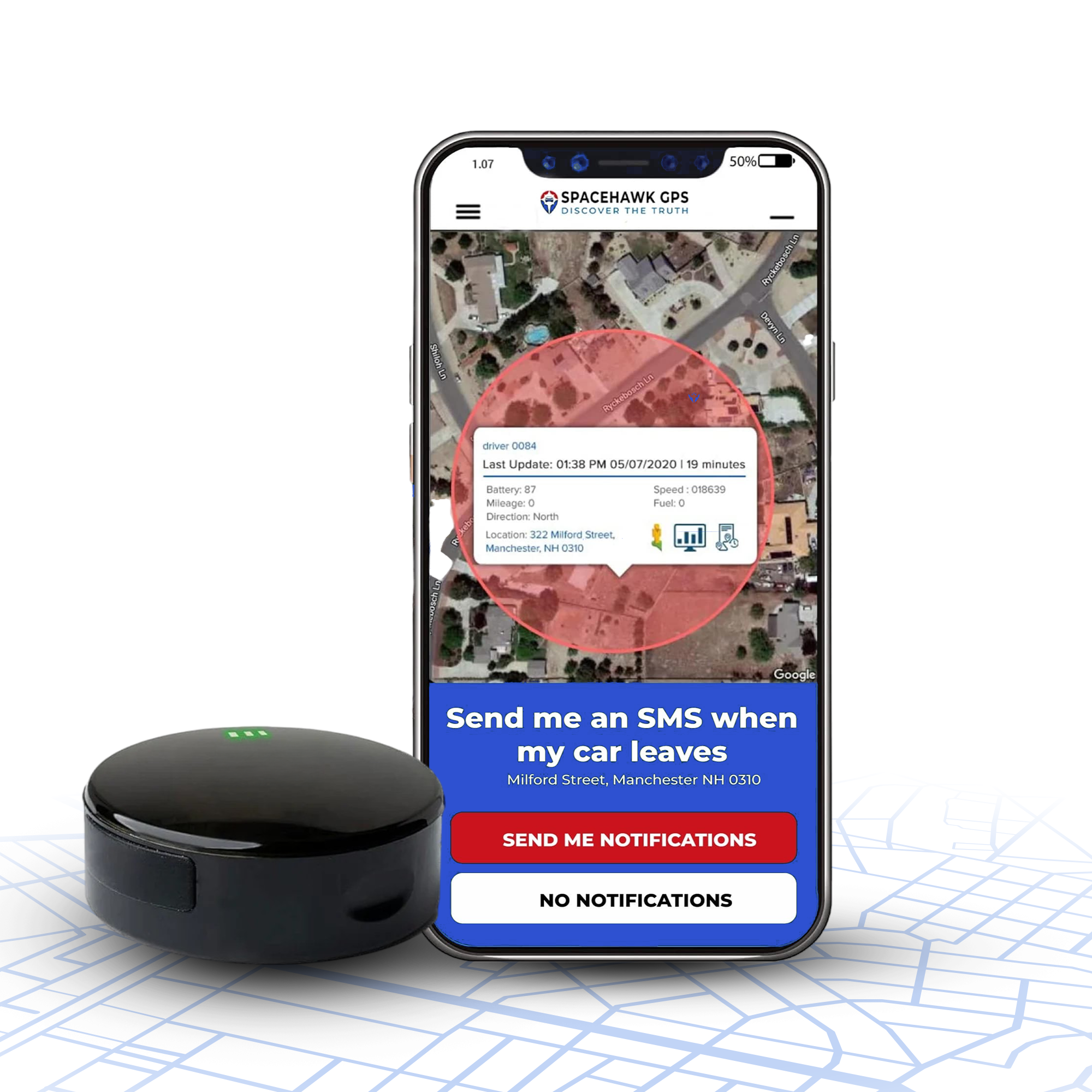
GPS tool tracking is a system that uses satellite signals and tracking hardware to record the real-time location and movement history of tools. Each tracked tool reports location data to a software platform, allowing teams to view positions, travel paths, and zone activity on a live map.
Teams use this system to monitor movement, confirm proper usage, and recover missing gear before losses turn into major disruptions. A simple dashboard view helps workers pull up exact coordinates, recent travel paths, and alert history without slowing down field operations. This level of clarity keeps projects running smoothly and holds every team member accountable for the tools assigned to them.
Why Tool Tracking Matters for Every Business
Tool tracking with GPS strengthens security, reduces delays, and supports better decision-making across daily operations. Every organisation responsible for valuable gear benefits from a system that shows where each tool is, who used the tool last, and whether the tool returned on time. One clear view of tool movement supports smoother workflows, stronger accountability, and safer worksites.
Construction equipment is believed to be targeted by thieves because it is often poorly secured, easily disguised and very expensive.

Prevent Theft and Unauthorised Use
GPS alerts notify teams the moment a tool moves outside a safe zone, giving supervisors a quick chance to recover valuable gear. A fast location update often leads crews straight to the spot where unauthorised movement began, helping many businesses save thousands in recovered equipment.
According to CBS news: Last week, a $95,000 Bobcat skid-steer loader was stolen from Kasper’s construction site in south suburban Harvey. Thieves removed a visible GPS tracker, believing the machine was untraceable. A hidden GPS tracker remained active and immediately sent a location alert, leading to the equipment’s recovery.
Key advantages:
- Instant movement alerts for rapid response
- Precise recovery coordinates that guide teams directly to missing gear
- Stronger accountability through recorded movement history
- Reduced insurance risk due to stronger asset protection
Reduce Downtime & Keep Projects on Schedule

A large portion of job-site delays comes from workers spending far too long searching for misplaced gear. GPS tracking removes that bottleneck by showing the last known location for every tool, saving crews hours each week. Faster retrieval leads to stronger productivity, fewer stalled tasks, and smoother handoffs between teams during busy project phases.
Improve Tool Inventory Accuracy
A GPS-supported inventory provides real-time confirmation of tool location, assignment history, and usage patterns. Managers gain dependable records for audits, billing, and asset reports without chasing handwritten notes or outdated spreadsheets. Accurate data also lowers unnecessary spending because teams stop ordering replacements for tools that stay onsite but never return to storage.
Key advantages for accuracy:
- Reliable audit records for compliance, chargebacks, and asset verification
- Clear assignment tracking that shows who last handled each tool
- Stronger purchasing decisions driven by real usage data
- Fewer missing items because every tool leaves a location trail
Improve Compliance & Safety
Many industries face strict safety and documentation requirements, especially during high-risk or regulated projects. A GPS-enabled inventory helps teams confirm that required tools remain available, calibrated, and accounted for during inspections. Clear digital records support compliance checks, reduce disputes, and strengthen safety programs by ensuring every worker has access to the correct gear.
How GPS Trackers Work for Tools

GPS trackers for tools gather satellite signals and translate those signals into clear location updates on a dashboard. A tracking device sends coordinates to a software platform, allowing teams to view every tool’s position, movement history, and alert activity without slowing down field work.
How GPS Location Technology Works
GPS location technology follows a simple chain: satellites send signals to a small tracking device, the device relays coordinates through a network, and the software dashboard displays the final location for quick access. This chain allows crews to view movement history, last-seen coordinates, and zone-based alerts in seconds.
Core steps:
- Satellite signal reception by the tracker
- Transmission of coordinates through a data network
- Rendering of map locations in a dashboard
- Storage of movement history for audits and reporting
This structure helps teams confirm where each tool stayed last, how far the tool travelled, and whether the movement matched assigned tasks.
In detail: How Do GPS Trackers Work
Indoor vs Outdoor Tracking

Outdoor tracking delivers stronger accuracy because open areas allow faster communication between satellites and tracking devices. Enclosed environments, warehouses, workshops, basements, and metal structures, restrict signal flow and reduce accuracy.
Recommended alternatives for enclosed spaces:
- Bluetooth tags for short-range indoor tracking
- RFID gateways for automated entry and exit logs
- Wi-Fi-assisted location for multi-floor facilities
Combining outdoor GPS with indoor technologies creates a fuller view of tool movement across every workspace.
GPS vs Bluetooth vs RFID

The three tracking approaches serve different needs. GPS supports long-range outdoor visibility, Bluetooth handles short-range indoor proximity, and RFID records checkpoints for controlled environments.
Fast SGE-friendly comparison:
|
Technology |
Strengths |
Limitations |
Best Use Case |
|
GPS |
Long-range, real-time location, strong outdoor accuracy |
Signal blocks in metal or enclosed spaces |
Construction sites, service vehicles, outdoor projects |
|
Bluetooth |
Low cost, fast indoor detection, simple setup |
Short range, limited precision |
Workshops, tool rooms, mobile carts |
|
RFID |
Automated entry/exit logs, reliable indoor scanning |
Requires readers and gateways |
Warehouses, storage cages, controlled access points |
A blended system often works best: GPS for broad outdoor tracking, Bluetooth for local proximity checks, and RFID for automated checkpoints.
Types of GPS Trackers for Tools
GPS trackers for tools come in several formats, each designed for a different work environment, asset type, and mobility level. A strong tracking system often blends multiple tracker styles to support field crews, indoor teams, and high-value outdoor gear.
Battery-Powered GPS Trackers
A battery-powered tracker supports portable tools that move across jobsites without constant access to wired power. Many models run for 20–80 hours per charge, depending on update frequency and battery size.
Best uses:
- Handheld power tools
- Surveying devices
- Portable testing equipment
A battery-powered option works well for fast-moving teams that rely on compact gear throughout the day.
Hardwired GPS Trackers
A hardwired tracker connects directly to a power source on heavy machinery or large equipment, supplying continuous tracking without battery replacements. This style suits assets that remain in service for long shifts or travel long distances.
Best uses:
- Excavators
- Service vans
- Generators
- Large compressors
A hardwired setup ensures uninterrupted location updates for equipment that rarely leaves a powered environment.
Bluetooth Tags
A Bluetooth tag provides short-range tracking through nearby mobile devices or fixed scanners. The compact design suits small tools, storage rooms, and indoor environments with dense metal structures.
Range and considerations:
- Typical range: 10–30 meters
- Strong performance indoors
- Lower precision compared to GPS
- Requires nearby smartphones or gateways for detection
A Bluetooth tag works well for tool rooms, workshops, and carts that move within a controlled area.
Solar-Powered GPS Trackers
A solar-powered tracker recharges through sunlight or bright artificial lighting, supporting long-term outdoor deployment with minimal maintenance. Continuous exposure boosts energy reserves and extends tracking uptime significantly.
Best uses:
- Outdoor storage yards
- Trailers
- Mobile lighting towers
- Agricultural machinery
A solar-powered design helps businesses manage remote or spread-out assets without frequent charging visits.
Hybrid RFID–GPS Devices
A hybrid RFID–GPS device blends two technologies: GPS for outdoor coverage and RFID for indoor checkpoints. This combination bridges the visibility gap between open-air job sites and enclosed warehouses.
Best uses:
- Construction projects with indoor and outdoor phases
- Tool cages and access-controlled storage
- Large industrial facilities
A hybrid device offers continuous movement history even when GPS signals weaken in heavy steel or concrete environments.
Essential GPS Tracker Features
Strong GPS trackers for tools share a core set of features that support accuracy, security, and smooth field operations. These features shape response time, recovery success, and long-term asset visibility across busy worksites.
Real-Time Tracking
Real-time tracking delivers frequent location updates, often every 10–30 seconds, giving teams fast insight into tool movement. A short update cycle helps supervisors spot unauthorised travel before a tool leaves the job corridor.
Example: A drill that receives updates every 15 seconds can be retrieved quickly during a zone breach because location shifts remain easy to follow.
Geo-Fencing & Alerts
Geo-fencing draws digital boundaries around safe zones, triggering alerts whenever a tool crosses a designated line. This feature adds a defensive layer that signals unusual activity during off-hours or across high-risk locations.
Example: A compressor leaving a staging area after sunset prompts an immediate alert, allowing rapid recovery before the asset travels far.
Battery Life & Power Management
Long battery life supports continuous tracking without constant charging. Many compact trackers run for 20–80 hours per charge, while larger models last several days through optimised power settings.
Example: A field technician can track a tool for multiple shifts before swapping or recharging a battery, keeping operations steady.
Durability
Durability matters because tools face drops, vibration, dust, and moisture. A strong tracker often carries shock resistance and an IP67 waterproof rating to handle harsh jobsite conditions.
Example: A tracker with an IP67 rating continues functioning after a rainstorm or accidental drop into a puddle, keeping location updates steady.
Reports & Tracking History
Tracking history stores movement logs, assignment details, and usage timelines for audits, billing, and operational reviews. Managers gain reliable data without hunting through paper records.
Example: A monthly report shows which tools stayed idle, which travelled the most, and which required reassignment based on project load.
Software Integrations
Software integrations connect GPS tracking with asset platforms, maintenance systems, and project dashboards. These links support smoother workflows and stronger decision-making across teams.
Example: A GPS feed can update an asset system automatically, logging arrivals, departures, and usage without manual entries.
How to Choose the Best GPS Tracker
Choosing the best GPS tracker for tools starts with understanding tool size, movement patterns, tracking environments, and reporting needs. A structured approach helps teams avoid overspending and improve long-term asset visibility.
Match the Tracker to Tool Type
Every tool category demands a different tracking style, depending on size, mobility, and value. Smaller handheld tools benefit from compact battery-powered trackers, while heavy machinery thrives with hardwired hardware.
Examples:
- Small drills or meters - compact battery trackers
- Large machinery - hardwired trackers
- Mid-size equipment - rugged battery models
A correct match ensures steady tracking without unnecessary hardware weight.
Environment: Indoor vs Outdoor
Outdoor projects support strong GPS signals, but indoor locations challenge satellite connections. Enclosed rooms, concrete walls, and steel structures reduce signal strength and create accuracy drops.
Recommended approach:
- Outdoor work - GPS hardware with steady satellite access
- Indoor rooms - Bluetooth tags or RFID gateways
- Mixed environments - Hybrid setups for continuous visibility
This approach avoids blind spots across storage areas, workshops, and open job corridors.
Tracking Frequency Needs
Update frequency shapes both accuracy and battery life. Fast updates support high-risk locations, while slower intervals extend power reserves for longer shifts.
Guidelines:
- High-activity areas - 10–30 second updates
- Moderate movement - 1–5 minute updates
- Low-movement storage - longer intervals to conserve power
Faster updates deliver stronger security, while slower cycles support long days without charging.
Budget & ROI
A strong tracking system often pays for itself through reduced losses and improved productivity. Many organisations report savings in the 40–60% range once tool losses drop and duplicate purchases fade.
Cost factors to review:
- Number of tools in service
- Frequency of lost or misplaced assets
- Labour hours spent searching for equipment
- Recovery success rate
A well-chosen tracker cuts recurring losses that drain budgets year after year.
Software & API Compatibility
GPS hardware performs best when connected to a platform that supports integrations, automated logs, and real-time dashboards. API access helps larger teams blend tracking data with maintenance systems, inventory tools, or project platforms.
Value for enterprises:
- Automated check-in/out
- Streamlined audits
- Faster project billing
- Unified visibility across departments
Strong compatibility ensures every team works from the same source of truth.
Popular Tracker Options
Tracker categories generally fall into five groups, each suited for a different style of tool movement.
Main categories:
- Battery-powered trackers for portable hand tools
- Hardwired trackers for powered machinery
- Bluetooth tags for indoor proximity tracking
- Solar units for long-term outdoor deployment
- Hybrid RFID-GPS devices for large mixed environments
This variety gives managers freedom to build a system tailored to every tool in circulation.
How to Set Up GPS Tool Tracking

Setting up GPS tool tracking follows a simple sequence: choose a device, activate the hardware, mount the tracker securely, configure alerts, and monitor data for ongoing improvement. Each step supports accurate location updates and stronger control over tool movement.
Choose a Device
Choose a device by matching tracker style to tool size, mobility patterns, and project conditions. Battery-powered units support handheld gear, hardwired systems support heavy equipment, and Bluetooth or hybrid models support mixed environments.
Quick guidance:
- Portable tools - compact battery units
- Large machinery - hardwired units
- Indoor spaces - Bluetooth tags
- Mixed zones - hybrid RFID–GPS hardware
Register & Activate
Register the device through the platform dashboard, add the asset name, assign a category, and connect the hardware to a tracking profile. Activation usually requires scanning a QR code or entering a serial number.
Common onboarding steps:
- Create or select an asset record
- Add device ID
- Confirm ownership details
- Run a short connection test
A clean setup ensures fast reporting from the first location update.
Attach the Tracker
Attach the tracker to a solid surface that stays protected during daily work. Use brackets, adhesive mounts, screws, or reinforced cases depending on tool size and usage conditions.
Mounting recommendations:
- Avoid metal-on-metal interference
- Place the tracker on a stable, vibration-resistant area
- Keep the antenna side facing open air whenever possible
A smart mounting position strengthens signal consistency.
Configure Alerts
Configure alerts by defining zones, setting time-based restrictions, and choosing movement triggers. Geo-fencing delivers warnings whenever a tool exits a safe zone, while motion alerts reveal unexpected activity during off-hours.
Helpful alert types:
- Zone exits
- Unauthorized movement
- Low battery notifications
- Arrival or departure notices
Alerts keep teams aware of tool movement without constant manual checking.
Monitor & Optimize
Monitor tracking data through daily dashboards, then adjust settings for stronger performance. Reports show usage levels, idle periods, frequent movement paths, and potential risk zones. Battery management also becomes easier once update intervals and usage patterns appear in the logs.
Optimisation examples:
- Adjust update frequency for longer battery life
- Refine geo-fence shapes around busy project zones
- Review movement logs for misplaced tools
- Export reports for audits and billing
A regular review cycle helps teams maintain full visibility throughout every project.
Overcoming Tool Tracking Challenges
Tool tracking challenges often appear during early deployment, especially when teams balance battery demands, signal strength, training needs, and mounting limitations. Simple adjustments resolve most tracking challenges crews face during early deployment.
Battery Life Issues
Battery life issues usually come from fast update cycles or harsh outdoor conditions. Longer shifts demand smarter power settings and consistent charging habits.
Best practices:
- Reduce update frequency during low-movement periods
- Use sleep modes when tools remain stored
- Carry spare batteries for high-usage tools
- Choose larger battery models for multi-shift projects
A balanced update schedule helps crews maintain strong location coverage without constant recharging.
Signal Interference
Signal interference often appears in basements, metal shops, dense concrete structures, or enclosed containers. These environments block satellite signals and weaken accuracy.
Solutions to improve signal strength:
- Place trackers on outer surfaces when possible
- Choose Bluetooth tags for fully enclosed rooms
- Use RFID gateways for areas with heavy steel
- Add assisted-GPS hardware for deeper indoor zones
A mixed approach prevents location gaps in hard-to-reach areas.
Cost Limitations
Budget constraints challenge many organisations during early adoption. A smart rollout reduces spending while still delivering strong results.
Cost-saving tips:
- Start with high-value or frequently misplaced tools
- Mix Bluetooth tags with GPS units for blended coverage
- Use shared dashboards to avoid per-user fees
- Review usage reports before buying additional hardware
A phased deployment often unlocks savings once tool loss rates drop.
User Adoption & Training
User adoption grows faster when onboarding stays simple. Workers respond well to clear steps, short demos, and consistent expectations.
Training guidance:
- Show crews how to check last-seen locations
- Assign one person to manage daily dashboards
- Create a fast check-in system during shift changes
- Add a brief training card to each job site kit
A predictable routine helps every team member support accurate tracking.
Mounting Trackers on Small Tools
Small tools create mounting challenges because surfaces stay uneven, narrow, or frequently handled. Creative mounting methods help trackers remain secure without interfering with daily use.
Effective mounting ideas:
- Use reinforced adhesive housings
- Attach slim brackets near handles
- Use velcro wraps for irregular shapes
- Place micro-trackers inside protective tool cases
Compact mounting solutions protect the hardware during demanding work.
Tracking in High-Metal Environments
High-metal environments disrupt satellite communication and weaken long-range tracking. A hybrid strategy maintains visibility across both congested rooms and open job zones.
Recommended approach:
- Combine GPS units for outdoor travel
- Add RFID checkpoints for steel-dense interiors
- Use Bluetooth proximity sensors for tool rooms
- Deploy assisted-GPS hardware for mixed-signal zones
This layered method maintains coverage no matter where a tool travels.
Advanced GPS Tool Tracking Use Cases
Advanced GPS tool tracking introduces automation, smarter maintenance decisions, stronger utilisation data, and clearer documentation for insurance claims. These use cases separate basic tracking from a full asset intelligence system, giving teams deeper control across every stage of tool movement.
Automated Check-In/Out
Automated check-in/out workflows combine QR codes with GPS hardware to verify tool assignments without manual paperwork. A quick scan confirms the user, job number, and timestamp, while GPS coordinates show the exact handoff location.
Example advantages:
- Faster shift changes
- Clear assignment history for audits
- Reduced disputes about last-known users
This blend of scanning and location signals creates strong accountability across daily tool transfers.
Maintenance Scheduling
Maintenance scheduling becomes easier once GPS signals reveal usage duration, movement frequency, and vibration patterns. Condition-based alerts notify teams when a tool needs inspection or servicing.
Useful triggers include:
- Hour-based maintenance alerts
- Distance-based service reminders
- Overuse or overheating notifications
Predictive scheduling helps teams prevent breakdowns and reduce unplanned downtime.
Utilization Metrics
Utilisation metrics show how often a tool gets used, how long the tool stays idle, and which projects rely on that tool the most. Managers gain a clearer view of tool demand across multiple crews.
Data examples:
- Tool idle time
- Daily or weekly usage hours
- Movement patterns across job zones
- Frequency of check-in/out events
These insights support smarter purchasing decisions and eliminate unnecessary rentals.
Insurance Support
GPS data strengthens insurance claims by providing proof of tool location, last-seen coordinates, and movement patterns before a loss. Detailed logs reduce investigation time and support faster claim approvals.
Useful documentation includes:
- Zone-breach alerts
- Timestamped coordinates
- Movement reports during the theft window
- Asset ownership records
This level of detail adds credibility and speeds up resolution after a loss.
Industry Examples
Every industry uses GPS tracking differently based on tool size, job complexity, and mobility demands.
Construction: Large job sites benefit from real-time tool movement to prevent delays and reduce theft risk.
Utilities: Field crews track equipment across long travel routes and remote service areas.
Manufacturing: Indoor/outdoor transitions require hybrid setups that blend Bluetooth, GPS, and RFID checkpoints.
These examples show how different environments shape tracking strategies for maximum visibility.
Conclusion
GPS tracking strengthens tool control, shortens recovery time during theft events, and brings reliable clarity to every stage of field work. A system built around real-time updates, smart alerts, and clean reporting helps managers protect valuable gear while keeping crews focused on productive tasks. Once tracking data becomes part of daily operations, tool loss drops, search time fades, and every project moves forward with fewer delays.
Strong visibility transforms tool management, and a dependable tracker accelerates that progress. SpaceHawk provides fast location updates, rugged hardware, and simple deployment for teams that rely on constant mobility.
Experience stronger tool security and smoother workflows with SpaceHawk.

Start a demo today and see how real tracking visibility reshapes daily operations.
Author Disclosure
Written by Ryan Horban, GPS Tracking & Asset Management Specialist (15+ Years of Experience)
Over the past 15 years, I’ve worked with contractors, field crews, and operations teams to set up GPS tracking systems that reduce tool loss and improve visibility across real job sites.
From tracking handheld tools to managing large equipment fleets, my focus stays on practical, compliant, and reliable setups that support daily operations without adding complexity.
I’ve tested tracking hardware in active work environments, worked directly with crews in the field, and know what delivers consistent results outside controlled conditions.
👉 Connect with me on LinkedIn →

FAQ
How accurate are GPS trackers for tool tracking?
GPS trackers for tool tracking often deliver accuracy within a few meters in wide outdoor spaces. Strong satellite visibility supports consistent performance, especially across open construction zones or remote utility sites. This range helps crews recover missing gear quickly and monitor movement without guessing.
Accuracy shifts once tools enter enclosed zones made of steel or concrete. Many teams strengthen coverage by blending GPS with Bluetooth or RFID support, creating a smoother handoff between outdoor and indoor tracking environments.
Do GPS trackers for tools require a data connection?
A data connection allows a tracker to send fresh coordinates to a dashboard for live viewing. Without a connection, location points stay inside the device until a signal returns, preserving a clear movement trail for later review.
Key points to remember:
- Stored points appear once connectivity returns
- A data plan supports real-time alerts
-
Remote regions benefit from devices that buffer movement logs
- Mixed indoor–outdoor workflows gain value from hybrid hardware
How long does a GPS tracker battery last on a tool?
Battery life ranges from a single day to several days, shaped by update speed, tool movement, and device size. Longer intervals between updates extend runtime, while rapid reporting cycles provide stronger security for high-risk zones.
Can GPS trackers support indoor tool tracking?
GPS performs best outdoors, while Bluetooth tags, RFID gateways, and assisted-GPS units strengthen visibility inside warehouses, basements, and steel-heavy shops. These technologies complement each other and remove blind spots that satellite signals cannot penetrate.
Helpful indoor options:
- Bluetooth tags for short-range proximity
- RFID gateways for automated corridor and room checkpoints
- Assisted-GPS devices for mixed-signal environments
What tools benefit most from GPS tracking?
High-value portable tools, heavy machinery, rental assets, and field kits gain strong benefits from GPS tracking. Fast movement patterns, frequent handoffs, and high theft exposure make precise location data essential for daily workflows.
Many organisations prioritise gear that travels between crews or leaves storage sites regularly. Asset categories with high replacement costs often show the strongest return once real-time visibility enters the workflow.
- Choosing a selection results in a full page refresh.
- Opens in a new window.