
How AI Is Changing GPS Tracking in 2026

Key Takeaways
- AI GPS tracking automatically learns your vehicle's normal patterns.
- Predictive maintenance alerts flag problems before a breakdown happens.
- Behaviour-based alerts are smarter than manual rule-based alerts.
- Most AI features are available on consumer trackers right now.
- AI tracking builds a behavioural profile that your privacy policy should cover.
How AI Is Changing GPS Tracking in 2026 (What Buyers Need to Know)
AI is changing GPS tracking in 2026 by turning location data into predictive alerts, behavioural pattern recognition, and automated maintenance warnings that fire before a problem happens, replacing the old model where a tracker only told you where something was after you manually checked the app.
I'm Ryan Horban. I've spent 15 years testing GPS trackers across vehicles, fleets, and personal assets. The shift I've seen in the past 18 months is bigger than anything in the decade before it. Most buyers still think GPS tracking means a dot on a map. In 2026, that dot is the least interesting thing the device does.
This guide explains exactly what AI does inside a GPS tracker, which features matter for personal buyers versus fleet operators, what's real versus what's marketing, and how to buy the right device for what AI tracking can actually do today.
What Is AI GPS Tracking?
AI GPS tracking is a system that uses machine learning to analyse location history, movement patterns, speed data, and vehicle behaviour over time, then automatically generates alerts and predictions without requiring manual setup or constant monitoring.
A traditional GPS tracker tells you where your vehicle is. You open the app, see the location, and close the app. The device is passive. It waits for you to look.
An AI GPS tracker continuously monitors the data. It learns what normal looks like for your specific vehicle: where it usually goes, when it usually moves, what routes it takes, how fast it drives, and where it typically stops. Once it builds that picture, it flags anything that breaks the pattern automatically, without you asking.
The practical result is that the app comes to you with information instead of waiting for you to check it.

Traditional GPS Tracking vs. AI GPS Tracking
The difference between traditional GPS tracking and AI GPS tracking is that traditional systems show you where a vehicle is right now, while AI systems tell you what is unusual, what is about to go wrong, and what has changed since the last time you looked.
Here is exactly what changes between the two:
|
Feature |
Traditional GPS Tracker |
AI GPS Tracker |
|
Location reporting |
Shows the current location on demand |
Shows location plus flags unusual movement |
|
Alerts |
Fire when you cross a rule you set manually |
Fire when the behaviour breaks the learned pattern |
|
Geofencing |
You draw a boundary and set the alert |
The system learns normal zones and alerts automatically |
|
Maintenance |
No vehicle health data |
Predicts issues before warning lights appear |
|
Trip history |
List of coordinates and timestamps |
Pattern analysis showing what changed week over week |
|
Theft detection |
Alerts if the vehicle leaves a zone you defined |
Alerts if the vehicle moves at a time it never moves |
|
Your role |
Check the app regularly yourself |
App alerts you when something needs attention |
The shift is from reactive monitoring to proactive notification. You stop watching the tracker. The tracker watches for you.
7 Ways AI Is Changing GPS Tracking Right Now
1. Smart Geofencing That Builds Itself

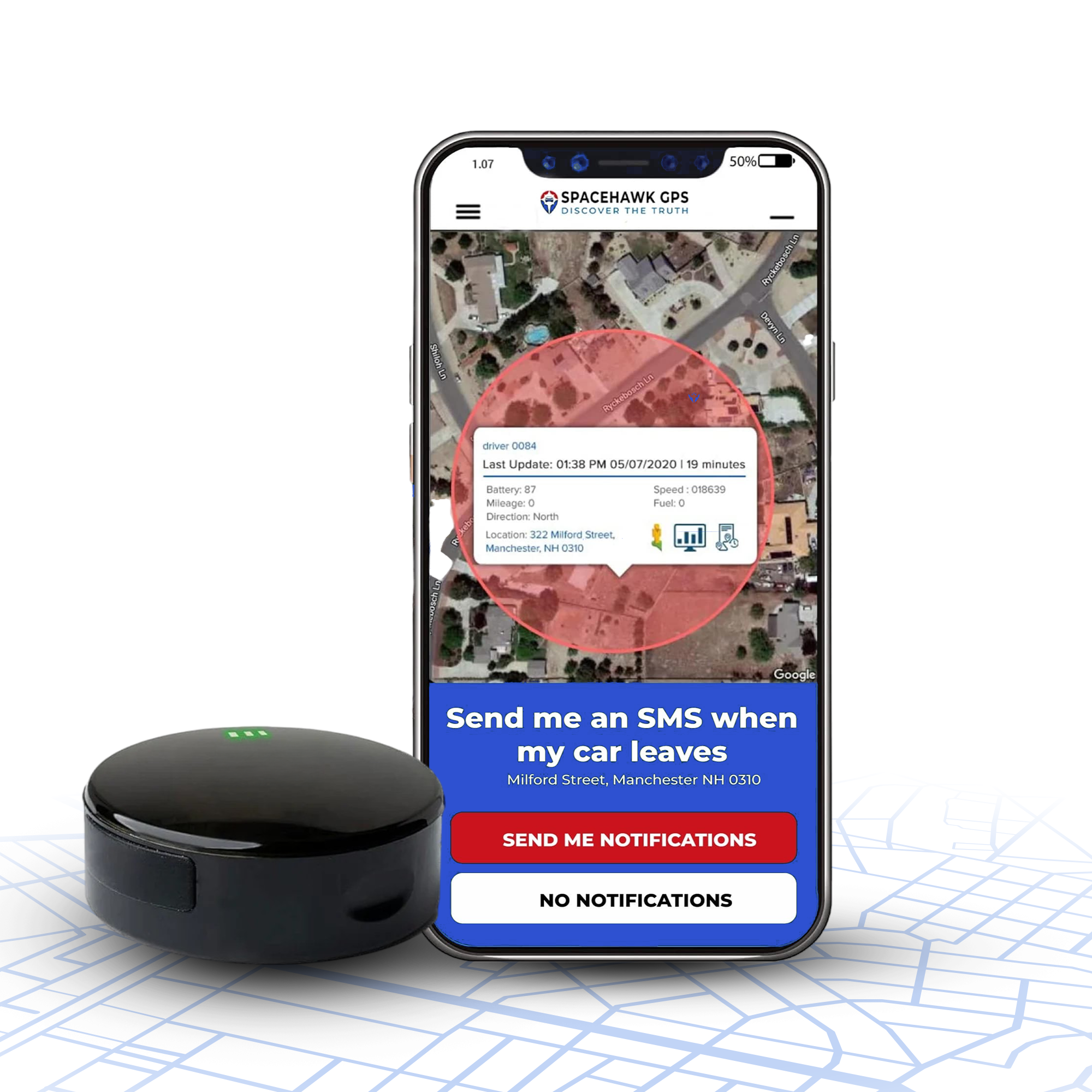
Smart AI geofencing learns where a vehicle normally goes and alerts you when it leaves those areas, without you manually drawing boundaries on a map.
Old geofencing required setup work. You drew a circle. You labelled it. You set the alert. If the vehicle went somewhere you hadn't thought to define, you got nothing.
AI geofencing watches movement patterns over 7 to 30 days and builds the boundaries from actual behaviour. Your delivery van always stays within a 40-mile radius. Your company truck never crosses the county line on weekends. The system learns those facts and alerts you the moment something breaks them, without you defining anything in advance.
For a parent monitoring a teen driver, this means an alert fires if the car goes somewhere new, even if you never thought to set that location as a boundary. For a small business owner, it means unauthorised vehicle use gets flagged before you ever have to ask where someone went.
2. Predictive Maintenance Alerts

Predictive maintenance alerts analyse vehicle health data over time and notify you of likely mechanical problems 3 to 6 weeks before a breakdown occurs.
This is the AI GPS feature that pays for itself fastest, and most buyers don't know it exists until they've already had a breakdown they could have prevented.
Traditional GPS trackers know where your vehicle is. They know nothing about its mechanical condition. AI-connected trackers, especially those using OBD2 ports, pull continuous data from the vehicle's own computer: engine temperature trends, fuel efficiency changes, idle behaviour, braking patterns, and fault codes. The AI watches these numbers over weeks and compares what it sees today to what was normal last month.
When something starts drifting, the alert goes out before the dashboard warning light appears.
According to the American Trucking Associations, unplanned breakdowns cost fleet operators an average of $760 per hour in downtime, parts, and labour combined. For a small business with even two vehicles, catching one cooling system failure early can save more than a full year of subscription costs.
3. Behaviour-Based Alerts Instead of Rule-Based Alerts

Unlike rule-based alerts, behaviour-based alerts fire when a specific driver's pattern changes unexpectedly, not just when a speed limit threshold is crossed.
Manual rule-based alerts work like this: you set a 75 mph speed limit in the app, and the alert fires if the vehicle hits 76 mph. That catches speeding. It misses everything else.
Behaviour-based alerts work differently. The system learns that a specific driver typically cruises at 68 mph on the highway, brakes smoothly, takes the same three routes, and never idles more than 10 minutes. When that driver suddenly pushes 82 mph, brakes hard repeatedly, takes an unknown route, and idles 45 minutes at a location that doesn't match any known stop, the system flags the entire pattern as unusual, not just one data point.
This catches things that manual rules never would. It catches route changes that suggest unauthorised use without crossing any preset boundary. It catches driving style changes that could indicate a vehicle being driven by someone other than the assigned operator. It catches patterns that look fine on paper but are inconsistent with everything that came before.
4. Theft Detection Before You Notice the Vehicle Is Gone

Theft detection now alerts you the moment a vehicle moves outside its learned behavioural pattern, typically within seconds of unauthorised movement beginning, rather than hours after you discover the vehicle is missing.
A standard GPS tracker tells you where your car is. If someone steals it at 2 AM while you're asleep, you find out when you open the app in the morning. By then, the vehicle may be in another state.
An AI system knows your car sits in your driveway from 10:30 PM to 6:45 AM every single night without exception. The moment it moves at 2:17 AM, the alert hits your phone. You didn't set a curfew alert. You didn't define a nighttime zone. The system learned the pattern and flagged the break from it automatically.
For vehicles in storage lots, this same principle catches theft attempts that traditional geofencing misses. The storage lot covers a large area. The vehicle moves 50 feet inside the lot to a loading area. A basic geofence never triggers. An AI system knows the vehicle doesn't move at night, so any movement triggers an immediate alert regardless of location.
5. Route Optimisation That Gets Smarter Over Time

Modern tracking platforms now analyse traffic patterns, historical route performance, time-of-day conditions, and individual vehicle data to recommend the most efficient route for each specific driver and trip.
Manual routing tells every driver to take the same "best" route. AI routing understands that the best route for Tuesday at 7 AM is different from the best route for Tuesday at 9 AM. It learns that a particular road always slows down on Friday afternoons. It learns that one driver is more fuel-efficient on certain route types than others.
Businesses that implement AI route optimisation consistently report fuel savings of 15 to 30 per cent. For a fleet of five delivery vehicles driving 80 miles per day each, that represents several thousand dollars per year saved from a feature the driver never has to think about because the app handles it automatically.
For personal buyers, route optimisation inside the GPS app means faster delivery estimates for your own trips and automatic suggestions when your normal route has a problem you haven't seen yet.
6. Driving Behaviour Scoring

AI driving behaviour scoring analyses acceleration, braking, cornering, speed consistency, and idle time patterns to create a safety score for each driver that improves automatically as the system learns individual driving style.
This isn't a camera in the cab. This is the tracker analysing what the vehicle's motion data says about how it's being driven.
Hard braking events, rapid acceleration, sharp cornering, and extended idle time all show up in the data. The AI combines these signals into a score that tells you not just what one event looked like, but whether driving behaviour is getting better or worse over time.
For parents of teen drivers, this means a weekly summary showing whether your teenager's driving is improving without you having to bring it up directly. For small business owners, it creates a documented record of driver behaviour that can be used to address specific issues with specific employees rather than making general policy changes that frustrate everyone.
The National Highway Traffic Safety Administration reports that behaviour-related factors contribute to 94 percent of serious crashes, which is why insurers treat verified behaviour data as a measurable risk signal.
7. Smarter Trip History and Pattern Analysis

AI trip history analysis processes weeks of location data and surfaces patterns, changes, and anomalies in plain language through the app, replacing manual scrolling through hundreds of timestamped location entries.
Most people who buy a GPS tracker look at the trip history once, find it overwhelming, and never use it again. A list of coordinates and timestamps is data, but it's not information until someone interprets it.
AI trip analysis does the interpretation automatically. It tells you that a vehicle visited a new location seven times in the last two weeks. It tells you that average fuel efficiency dropped on Thursdays. It tells you that departure times shifted 45 minutes earlier in the past month. It surfaces the meaningful changes so you don't have to find them yourself.
What AI GPS Features Are Real for Personal Buyers Right Now

Most articles about AI and GPS tracking are written for fleet managers overseeing 50 vehicles with dedicated software budgets. If you're a parent, a small business owner, or an individual protecting a single vehicle, that information isn't written for you.
Here is an honest breakdown of what AI features are available at consumer prices today:
Available on most consumer GPS trackers right now, including SpaceHawk:
- Smart motion-triggered alerts using accelerometer pattern data
- Behaviour-based geofence alerts that respond to unusual movement timing
- Basic pattern recognition for theft detection
- Trip history with address-level location logging
- Speed and hard braking alerts with threshold customisation
Available on mid-range consumer subscriptions and OBD2 trackers:
- Vehicle health monitoring with fault code detection
- Driving behaviour scoring, including hard braking and rapid acceleration
- Idle time tracking with weekly summaries
- More detailed pattern analysis in the app dashboard
Still primarily at the enterprise level, not in consumer subscriptions:
- Full predictive maintenance modelling with failure timeline estimates
- Natural language query interfaces for historical trip data
- Cross-vehicle fleet behavioural comparison and scoring
- AI-generated route recommendations that update dynamically
The gap between consumer and enterprise is closing. Features that required a $400 per month fleet platform two years ago are showing up in mid-range consumer apps today. Buying a consumer GPS tracker in 2026 already gives you meaningful AI capabilities that didn't exist at any price point five years ago.
AI GPS Tracking and Privacy: What Buyers Need to Know

The AI systems inside modern GPS trackers build detailed behavioural profiles of drivers and vehicles over time, which means buyers need to review data retention policies, third-party sharing terms, and access controls before choosing a platform.
This is the section most articles skip. For buyers, it's one of the most important considerations.
An AI system that learns your vehicle's patterns, routes, usual stops, and driving behaviour is building a profile. That profile has value. It's also sensitive. Before you buy any AI-capable GPS tracker, check these four things:
Data retention period - How long does the platform store your location and behaviour history? Some platforms keep up to two years. Others delete after 30 to 90 days. A longer retention window means more data sitting on someone else's server.
Third-party data sharing - Does the platform share behavioural data with insurance companies, advertisers, or data brokers? Reputable platforms don't. Read the privacy policy before assuming.
Access controls - If the AI is building a behavioural profile of an employee or family member, who inside your organisation can access that profile? Limit access to the roles that actually need it for their job.
Dispute process - AI systems make mistakes. If the system generates a behavioural flag that gets used in a disciplinary decision, and the data is wrong, can the driver see their records and challenge the finding? Your policy should answer that question before you need it.
For personal trackers on your own vehicle, most of these concerns are minor. For business owners tracking employees, they matter significantly. Several states now require written notice before GPS monitoring begins, and using AI-generated behavioural data in any employment decision adds a layer of legal consideration beyond basic tracking. Before deploying any tracking solution, review our GPS Tracking Laws by State guide to understand consent, notification, and privacy requirements in your area.
Do You Actually Need AI GPS Features?

The GPS tracker market is projected to grow from $6.13 billion in 2026 to $14.98 billion by 2033 according to Coherent Market Insights, driven primarily by AI integration and demand for automated fleet intelligence rather than basic location tracking alone.
Here is a plain answer for each situation:
You probably don't need AI features if you are:
- Tracking a single parked vehicle for theft recovery only
- Checking the location manually a few times per week
- Monitoring a stored asset where basic geofence alerts are enough
- Using a tracker to confirm a vehicle is where it should be
A reliable magnetic tracker with standard geofencing and motion alerts handles all of these well without needing anything more advanced.
AI features start paying off when you are:
- Running a small business with two or more vehicles
- Monitoring a teen driver and want pattern-based behaviour alerts without manual rules
- Managing assets that need maintenance tracking
- Wanting automatic theft alerts that don't depend on you setting every boundary manually
- Trying to reduce fuel costs across multiple drivers
The more vehicles you manage and the less time you have to check the app manually, the more AI features justify their cost.
How to Evaluate AI Claims When Buying a GPS Tracker

Not every GPS tracker that says "AI-powered" on the box is using real machine learning. Here is how to tell the difference before you spend money.
Ask whether alerts are behaviour-based or rule-based. A real AI feature learns what normal looks like for your vehicle and flags deviations. A rule-based alert fires when a threshold you set manually is crossed. Both are useful. Only one is AI. Ask the company directly whether their alert system learns from historical patterns or only responds to rules you define.
Check the update interval. AI systems need dense data to build accurate patterns. A tracker that updates every 60 seconds gives the system far less data to work with than one that updates every 3 to 10 seconds. Faster update intervals make AI pattern recognition significantly more accurate.
Look for a learning period description. A real AI system needs time to establish a behavioural baseline before its alerts become reliable. Most legitimate platforms describe a 7 to 30-day learning window. If a company claims instant AI accuracy from day one, the feature is likely a rule set with a different label.
Read subscription tier details carefully. AI features are often gated behind higher subscription levels. The base plan may offer standard location tracking, while behavioural scoring, predictive maintenance, and pattern analysis require a premium tier. Know exactly what you're getting at each price point before purchasing.
Check data retention and privacy terms. For any tracker building a behavioural profile, confirm the platform has a clear data retention policy, does not sell behavioural data to third parties, and gives you control over who can access your records.
Final Thoughts
GPS tracking has been around long enough that most people think they understand what it does. In 2026, they don't, because what it does has changed substantially.
The tracker still goes under the car the same way it always did. What happens with the data after that is completely different. The system learns. It compares. It flags. It predicts. And it does most of that automatically, without you checking anything manually.
For a parent monitoring a teen driver, this means the app tells you when something unusual happens, rather than you having to look every day and hope you notice. For a small business owner managing a few work vehicles, this means a maintenance alert two weeks before a breakdown instead of a repair bill you didn't budget for. For anyone protecting a vehicle from theft, this means a notification within seconds of unauthorised movement instead of a morning discovery.
The buyers who get the most from AI GPS tracking are the ones who stop thinking of the tracker as a device they check and start thinking of it as a system that monitors for them. That shift in how you use the tool is more important than any single feature on the spec sheet.
If you want a consumer tracker that actually delivers on the AI features covered in this guide rather than just listing them on a product page, SpaceHawk is where I'd start. It runs 3-second location updates, holds magnetically under any vehicle without wiring, carries an IP67 waterproof rating for exterior placement, and the behavioural alert system works from day one without a 30-day setup window or enterprise pricing.
This article is for informational purposes only. GPS tracking laws vary by state. Always confirm local regulations before deploying tracking on any vehicle operated by employees, contractors, or other individuals. Consult a licensed attorney for guidance specific to your situation.
About the Author

Frequently Asked Questions
What is AI GPS tracking?
How does AI improve GPS tracker accuracy?
Does AI GPS tracking work on personal consumer trackers?
What is the difference between AI geofencing and regular geofencing?
Can AI GPS tracking predict vehicle theft?
Does AI GPS tracking cost more than standard GPS tracking?
Is AI GPS tracking data private?
How long does AI GPS tracking take to learn vehicle patterns?
- Choosing a selection results in a full page refresh.
- Opens in a new window.
 Buy on Amazon